homeMade for home daycares

Your daycare organized, right from your phone

QR check-in and check-out, parent notifications, billing, expenses, payroll and accounting — plus an AI assistant that answers your questions with your own numbers. In Spanish and English.

translateSpanish & English install_mobileApp for iPhone & Android lockYour data protected smart_toyWorks with Meta Muse languageWe also build your website
How it works

A day with DCarePro

What used to be notebooks, spreadsheets and scattered texts now just happens.

7:45 AM
schedule
Your assistant clocks in on the staff time clock with a PIN. Hours are ready for payroll.
8:05 AM
qr_code_2
Ana’s mom shows her QR pass at drop-off. She instantly gets a notification: “Ana arrived 8:05 AM”.
9:30 AM
notifications_active
You get an alert with the children who haven’t arrived yet, so you can call in time.
12:10 PM
photo_camera
You bought groceries: snap the receipt and the system reads the date, amount and store.
4:30 PM
verified_user
Ana leaves with grandpa, an authorized pickup. If someone has a custody restriction, the system stops it.
Friday
auto_fix_high
The week’s invoices are created from attendance, and you send WhatsApp reminders to whoever owes.
Month end
smart_toy
You ask your assistant: “How is the month going?” and it answers with your income, expenses and profit.
Features

Everything your daycare needs, in one place

Every part talks to the others: attendance creates invoices, payments flow into accounting and expenses into your tax reports.

qr_code_scanner

QR attendance

Paperless check-in and check-out, safely.
  • check_circleQR pass for every parent and authorized pickup
  • check_circleParents can also check in from their phone
  • check_circleCustody restrictions are blocked automatically
  • check_circlePhone day view with big buttons
  • check_circleCorrections with a reason, closures and holidays
  • check_circleWhich families are not using the QR
receipt_long

Billing & collections

Make sure everyone pays.
  • check_circleAutomatic weekly billing from attendance
  • check_circlePrivate families and agencies / vouchers
  • check_circleCash, Zelle, check or ACH payments, with receipts
  • check_circleCollections: reminders by WhatsApp, text or email
  • check_circleCredits and annual statements
  • check_circlePrinted timesheets for agencies
shopping_cart

Expenses & vendors

Every dollar out, with its receipt.
  • check_circleReceipt photo: reads date, amount and vendor
  • check_circleExpenses by category (food, supplies, rent…)
  • check_circleVendor bills and payments due
  • check_circleRecurring expenses created automatically
  • check_circleExpense reports by month and vendor
account_balance

Full accounting

Ready for your accountant and tax time.
  • check_circleConnect your bank (Plaid) and reconcile in minutes
  • check_circleProfit & loss, balance sheet and cash flow
  • check_circleDouble-entry ledger and general journal
  • check_circleYear-end close: closed months can’t be changed
  • check_circle1099 report for your tax preparer
badge

Staff & payroll

Your team, their hours and certifications.
  • check_circleStaff time clock with PIN on the front tablet
  • check_circleWeekly hours ready for payroll
  • check_circlePayroll runs (ADP) and withholdings (PFML)
  • check_circleLoans and advances with repayments
  • check_circleCertifications (CPR, first aid) with expiry alerts
dashboard

Your day at a glance

What matters, as soon as you open the app.
  • check_circleWho arrived, who’s missing and who left
  • check_circleTo-dos: invoices to create, overdue payments
  • check_circleThis month’s income, expenses and profit
  • check_circleBank balances and upcoming days (birthdays, closures)
  • check_circleUsers with role permissions (owner, teacher…)
AI assistant

Ask your daycare questions like you’d ask a person

DCarePro connects with Meta Muse and other AI assistants. From the chat on your phone, ask about billing, attendance, expenses or staff, and get answers from your daycare’s real data.

touch_app
Connects in one tap. Sign in and tap “Allow”. No keys or codes to copy.
visibility
Read-only. It sees names, dates and amounts — never phones, addresses, medical notes or custody details.
tune
You decide what it sees. Pick the sections (attendance, billing, expenses…) and disconnect anytime.
history
Everything is logged. Every question it asks is recorded in the audit log.

See it in action

Send Muse a photo of a receipt and it records the expense, after confirming the date, total and accounts with you.

App & notifications

An app with your daycare’s name and logo

Install it from the browser on iPhone or Android — no app store needed. You, your staff and parents get it on their home screen, with your logo.

  • check_circleParents: a notification when their child arrives and leaves, and with whom.
  • check_circleOwner: payments received, children not in by the time you choose, and security alerts.
  • check_circleThey arrive with the screen off, like a WhatsApp message.
  • check_circleEveryone chooses which alerts they want.
  • check_circleParent portal in Spanish or English.
Websites for daycares

A website that works to fill your openings

We design and host websites made only for daycares: beautiful, bilingual and easy to find. Parents see your program, read your handbook and request a visit from their phone.

  • check_circleCustom design with your logo, photos and colors.
  • check_circleIn Spanish and English, with a language button.
  • check_circleLooks great on phones, where parents search.
  • check_circle“Schedule a visit” form: with DCarePro it arrives as a phone alert.
  • check_circleDownloadable parent handbook and a parent portal button.
  • check_circleYour own domain with the security padlock (https).
brush

Web design

We build your site from scratch or redesign the one you have.
dns

Hosting

We keep it online and secure, and make your updates. On Wix or Squarespace? We move you.
I want my website arrow_forward
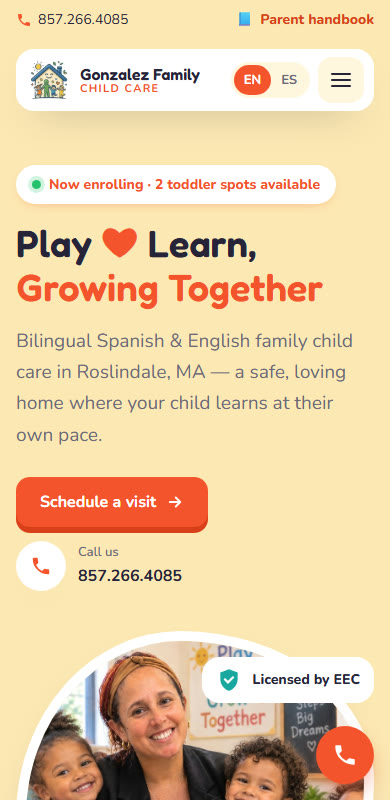
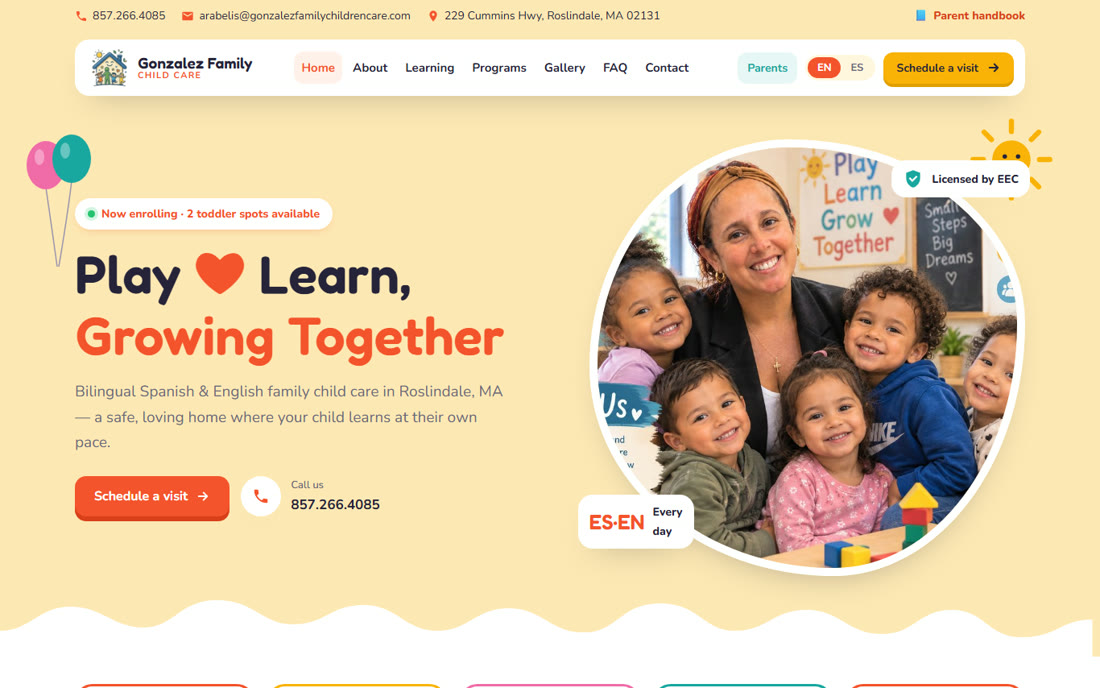
Gonzalez Family Child Care website on a computer
The same website on a phone
Our client
Gonzalez Family Child Care
Roslindale, MA
New design Bilingual Moved from Squarespace Connected to DCarePro
Visit the site open_in_new
Security

Children’s information, protected the right way

domain
Your daycare, kept apart
Each daycare has its own database; no one else sees your data.
admin_panel_settings
Role permissions
Teachers see attendance; billing and accounting only for whom you choose.
history_edu
Every change logged
Who changed what and when, with before and after values.
cloud_download
Your data is yours
Download a full backup anytime.
FAQ

What people ask us

No. It runs in the browser on your phone, tablet or computer, and installs as an app in a minute. For the staff clock and QR scanning, a tablet at the entrance is enough.

Yes. You can have private and agency families; the system bills the agency and prepares the timesheets they ask for.

Muse is Meta’s AI assistant. It’s optional: DCarePro works fully without it. If you use it, you connect it in one tap and it can only read, never change anything.

Not required. They get their QR pass and, if they want arrival and pickup alerts, install your daycare’s app from the browser.

Yes. Web design and hosting are offered separately. If you start using DCarePro later, we connect your form so visit requests arrive in the app.

No. Your domain can stay where you bought it and your email keeps working. We just point the website to our server, as we did for Gonzalez Family Child Care when they left Squarespace.

Yes. Request a demo below and we’ll set up a test daycare for you to use, no commitment.
Try it free

Request a demo or your website

Fill out the form and we’ll set up a ready-to-use test daycare for you, no commitment. If you want a website, we’ll reach out to learn about your daycare.

I’m interested in